Updated 19 Nov 2026 What changed
- First published, from our own first hour of play on PS5 (launch night, 19 Nov 2026). No story details.
On this page
- 1. Pick your minimap setting on first boot
- 2. Sprint is L3 now
- 3. Settle in: the opening is long
- 4. The HUD hides itself. Press the D-pad to bring it back
- 5. Heal from the weapon wheel
- 6. Use cover, and think about non-lethal shots
- 7. Follow the turn-by-turn directions
- 8. Your house is more than a save point
- 9. Explore the street you start on
- 10. Watch your cash
- What we haven't covered yet
- FAQ
- Sources
These tips come from our own first hour of GTA 6 on PS5, played from midnight on launch night. No story details, no leaks and no glitches. Just what we wish we'd known before pressing start.
1. Pick your minimap setting on first boot
Before the game starts it asks about your Navigation Experience. The default, "Minimap & Compass (Dynamic)", shows them "dynamically or on demand". If you want the minimap on screen all the time, like GTA 5, choose "Minimap Always On". You can also set UI text size and subtitle size here, and calibrate HDR if your TV uses it.
2. Sprint is L3 now
The setup screen spells it out: the default controls "now use L3 to run and sprint". If tapping Cross is in your muscle memory, change it in Settings straight away. Our GTA 6 controls guide has every button prompt we saw.
3. Settle in: the opening is long
The first stretch is a scripted prologue: cinematics, credits and several story missions. In our session, free roam started about 46 minutes in, when Jason arrived at his house. Grab a drink first, and don't worry that you can't wander off yet.
4. The HUD hides itself. Press the D-pad to bring it back
With the default setting, the HUD fades away. Press the D-pad to reveal it and see your current objective. In a car, hold the D-pad for the radio and vehicle controls.
5. Heal from the weapon wheel
Hold L1 for the weapon wheel, then press Square to heal. Your healing items show in the bottom-left corner of the wheel. R1 flips between the Weapons and Items tabs.
6. Use cover, and think about non-lethal shots
R1 takes cover and L1 quickly equips or holsters your gun. The game also points out that non-lethal shots can incapacitate targets without killing them, so aim with that in mind.
7. Follow the turn-by-turn directions
When you're given a destination, the minimap shows turn-by-turn directions with distances, such as "Turn Right 249 ft". It's handy at night, when the side roads around the keys are dark.
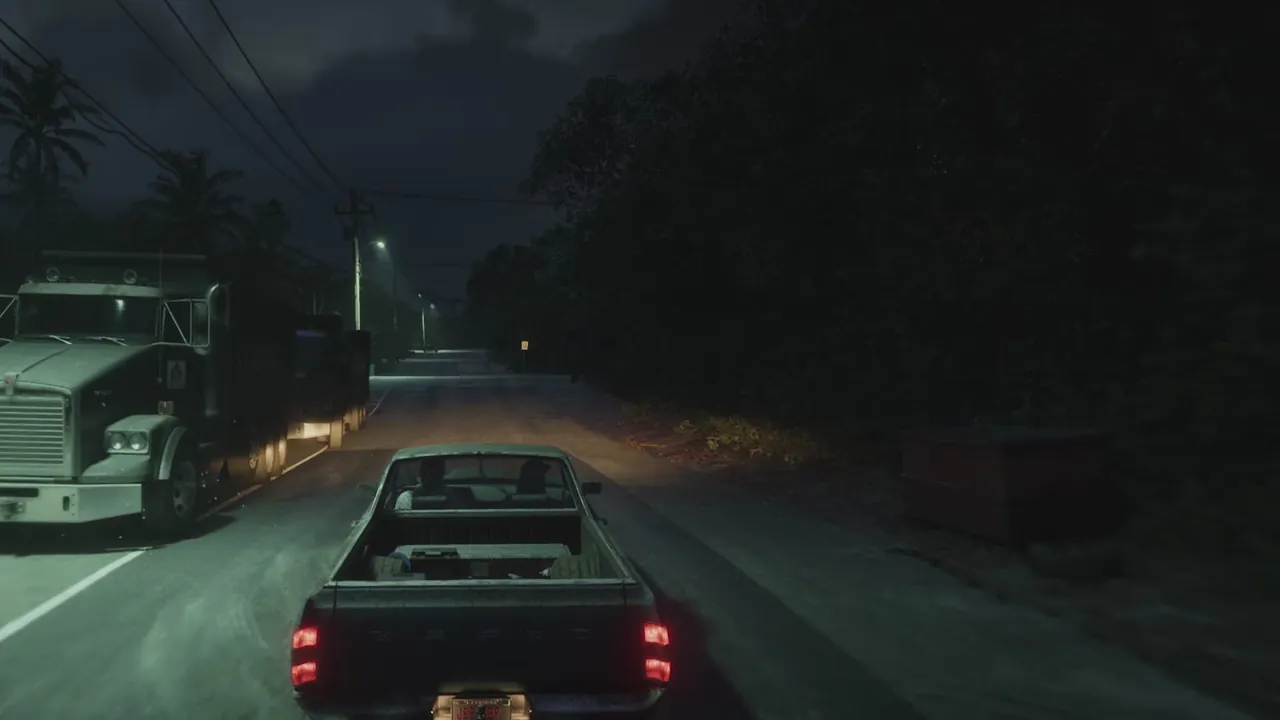
Night driving on the keys in our first hour. Screenshot: Six Star Intel.
8. Your house is more than a save point
Once free roam opens, the game walks you around Jason's house. The tutorial says:
- "In the bedroom, you can sleep to rest up and advance time." It also says you can get to your hidden stash of cash there.
- Drinks are in the kitchen and there are clothes in the wardrobe.
- It's yours to live in, but "any maintenance is your problem".
- "Continue to explore your house and the area outside to find a variety of other things to do."
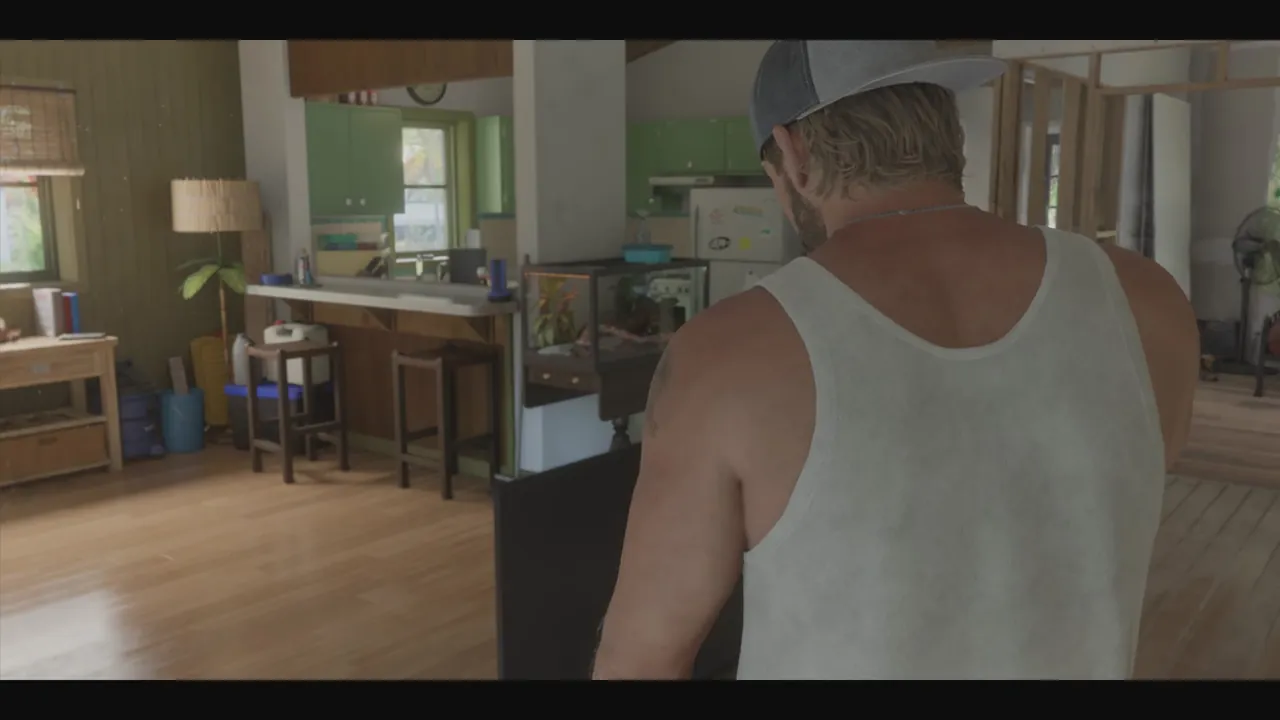
Jason's house, where free roam begins. Screenshot: Six Star Intel.
9. Explore the street you start on
The house sits on the water on Key Lento, and the strip around it is packed with places: a dive bar, a tattoo parlour, gift shops, a 247 gas station and convenience store, a Marbles burger restaurant and a mod shop (Coastal Auto Care). We've marked the ones we've checked on our free interactive map, from our own play. Shops and bars there show a short description when you hover them on the pause map.
10. Watch your cash
Your cash shows top-right when the HUD is up. Ours was only a few hundred dollars by the end of the first hour, so don't expect to buy much yet. We'll cover money properly once we've played further, using normal gameplay only (no glitches).
What we haven't covered yet
We haven't used the phone's apps, earned a wanted level in free roam or stolen a car yet. We'll add guides for those once we've actually played them, not before.
Frequently asked questions
How long until GTA 6 free roam?
In our first session it was about 46 minutes from pressing start, including the opening cinematics, credits and the first missions. Free roam began when Jason got to his house. Your time will vary with how fast you play.
Can you skip the GTA 6 prologue?
We didn't see an option to skip it in our first hour, and we wouldn't anyway: it teaches the boat, plane, cover and healing controls.
What can you do at your house in GTA 6?
The house tutorial says you can sleep in the bedroom to rest up and advance time, get to a hidden stash of cash, find drinks in the kitchen and change clothes from the wardrobe. It also says to explore the house and the area outside for other things to do.
Is there a GTA 6 map?
Yes. Our free interactive map is built from our own play and marks the shops, bars and places we've checked around Key Lento so far. It's an early version and we're adding to it as we explore.
Email alerts
Get told the moment it's official
No spam and no daily digest. Just one email when something on your list is confirmed.
Sources
- Rockstar Games, GTA VI official site https://www.rockstargames.com/VI
- PlayStation Blog, Grand Theft Auto VI launches tomorrow, November 19, 18 Nov 2026 https://blog.playstation.com/2026/11/18/grand-theft-auto-vi-launches-tomorrow-november-19/
Facts checked on 19 November 2026. Spotted something out of date? Tell us.