Updated 24 Nov 2026 What changed
- Published. Facts rechecked against our own PS5 footage; draft-only wording removed.
- Draft for review, from our own play on 19 November 2026. Not published.

Video · 60 seconds
Watch the quick version
Plays from YouTube in privacy-enhanced mode. Nothing loads from YouTube until you press play, then YouTube may store data on your device (privacy).
On this page
Jason's phone is an iFruit. This guide is from our own PS5 play on 19 November 2026: first from a free-roam session at the house, then from a later night in the city and the morning after. We are describing the apps and prompts we actually opened or were shown, not a complete manual for every icon.
We do not quote story message threads.
The home screen
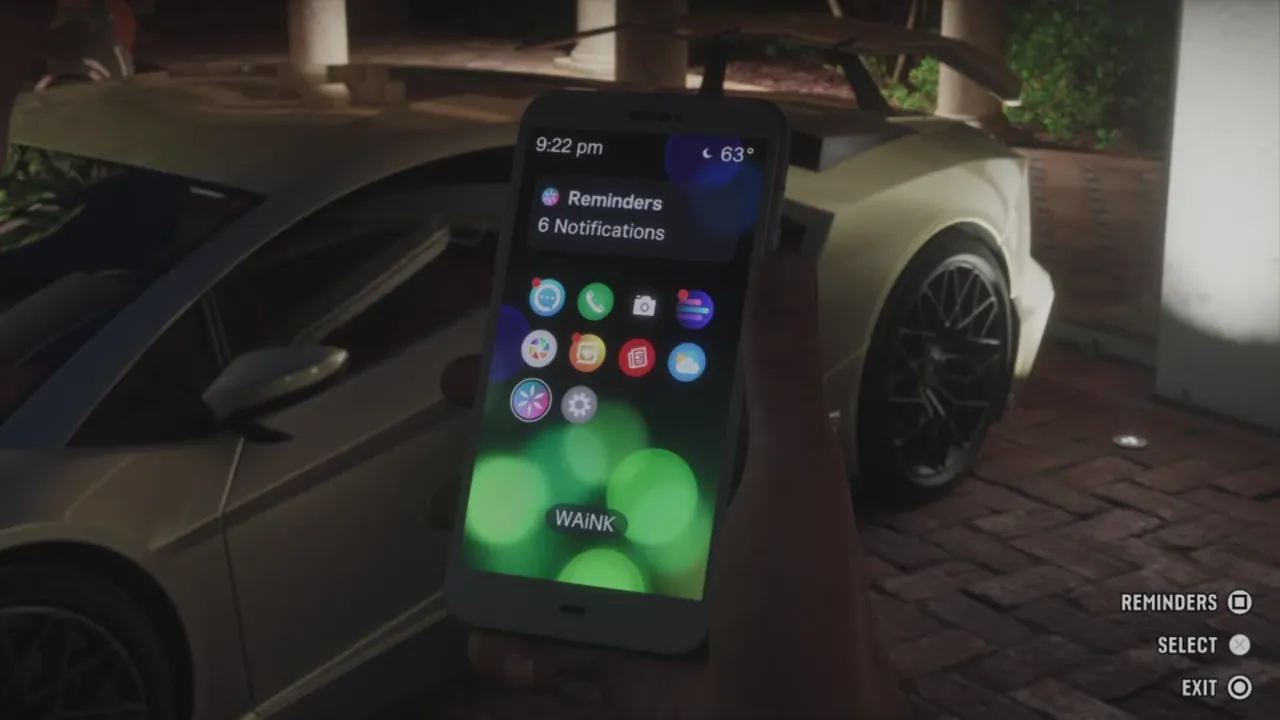
The lock and home screen showed the time, the temperature, and a reminders count. In the first session, at the house, it was 11:06am, 75°, and “Reminders — 5 Notifications.” The next night, in a driveway, it was 9:22pm, 63°, and 6 notifications. Those numbers will obviously change.
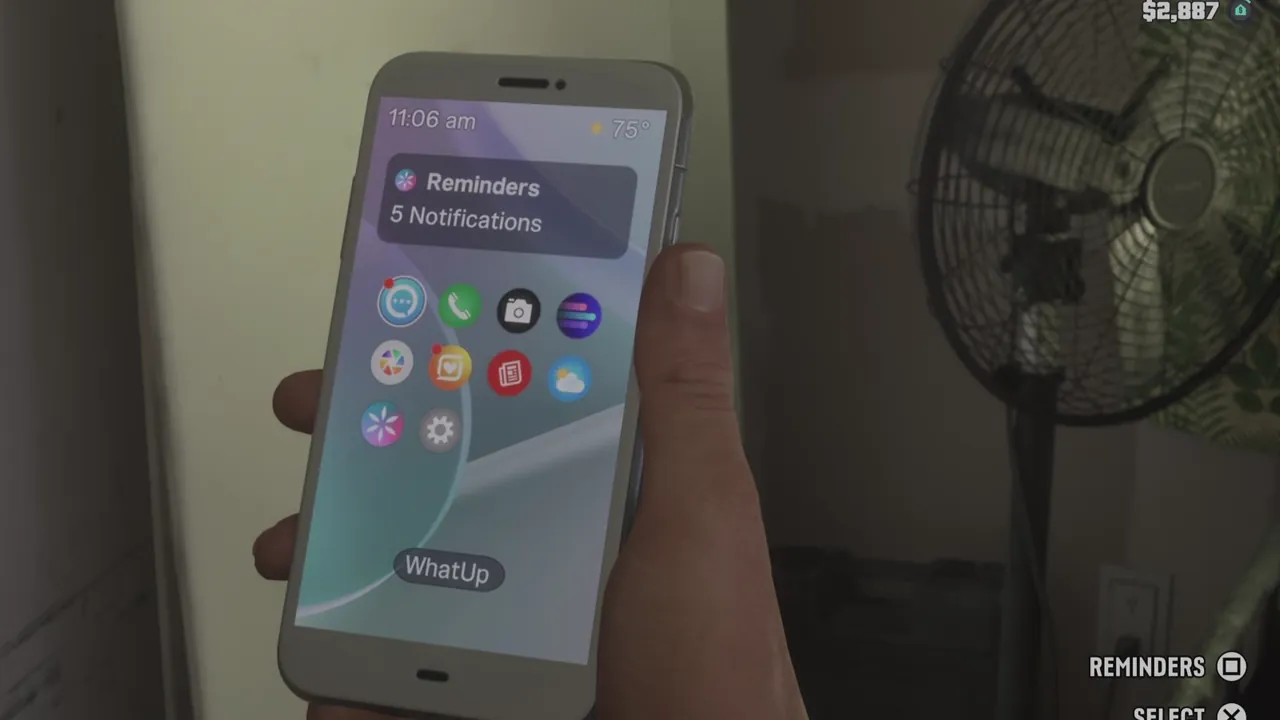
The ten apps on the grid, as we saw them, were:
| App | What we know so far |
|---|---|
| WhatUp | Messages. We opened the thread list; we are not quoting conversations. |
| Contacts | People you have met. After the first mod shop, a tip said we could call Joey from Contacts if the Ganado needed repairing or delivering. |
| Camera | Take photos. We have not done a full photo-mode pass for this guide. |
| Fitness | Strength, Cardio and Focus levels, plus Body & Nutrition. Opened in a later session (see below). |
| Gallery | Your photos. Not opened in detail yet. |
| Snapmatic | A photo / social app. Not opened properly yet. |
| News | A news app. We have seen an in-game news list; we have not written it up story by story. |
| Weather | Opened later: a forecast for Mariana County (see below). |
| WAiNK | Scan vehicles and points of interest for extra info. |
| Settings | Wallpaper and ringtone, under a Jason / iFruit profile. |
A later session also showed a social / photo feed on the phone. We have not turned that into a separate app guide, and we are not republishing anyone's posts from it.
Settings: wallpaper and ringtone
Open Settings and you get the Jason / iFruit profile and two options: Wallpaper and Ringtone. Wallpapers we saw in the first session were Livid Circles, Rose Bokeh and Green Bokeh. We picked Green Bokeh, and that is the wallpaper on the later night-time screenshots.
In a later session, phone Settings included ringtones, with Beam Me Up selected. We have not listed every ringtone on that screen, because we did not capture a complete set of names we are confident in.
This is the phone's own Settings app. It is not the game's pause-menu Settings (display, audio, and so on). The pause root menu we opened later listed Map, Game, Store, Help, Photo Studio, Settings; we opened Map, not the big Settings page, so a full options guide is still to come.
WAiNK: scan vehicles and places
A tip at the house said to use WAiNK to scan vehicles and points of interest for more information. The game also told us, later, when a WAiNK scan was nearby, and to hold a button to open the app and scan it.
On a driveway in Peacock Estates we used it properly. The phone home screen had WAiNK highlighted over that Green Bokeh wallpaper. We scanned several parked cars. One of them was a Pegassi Vitello. The scan panel showed:
- Access — Key Cloner
- Security — Alarmed
- Tracker — Advanced
A tip appeared at the same time: “You're not currently able to start keyless vehicles.” We did not steal the car.
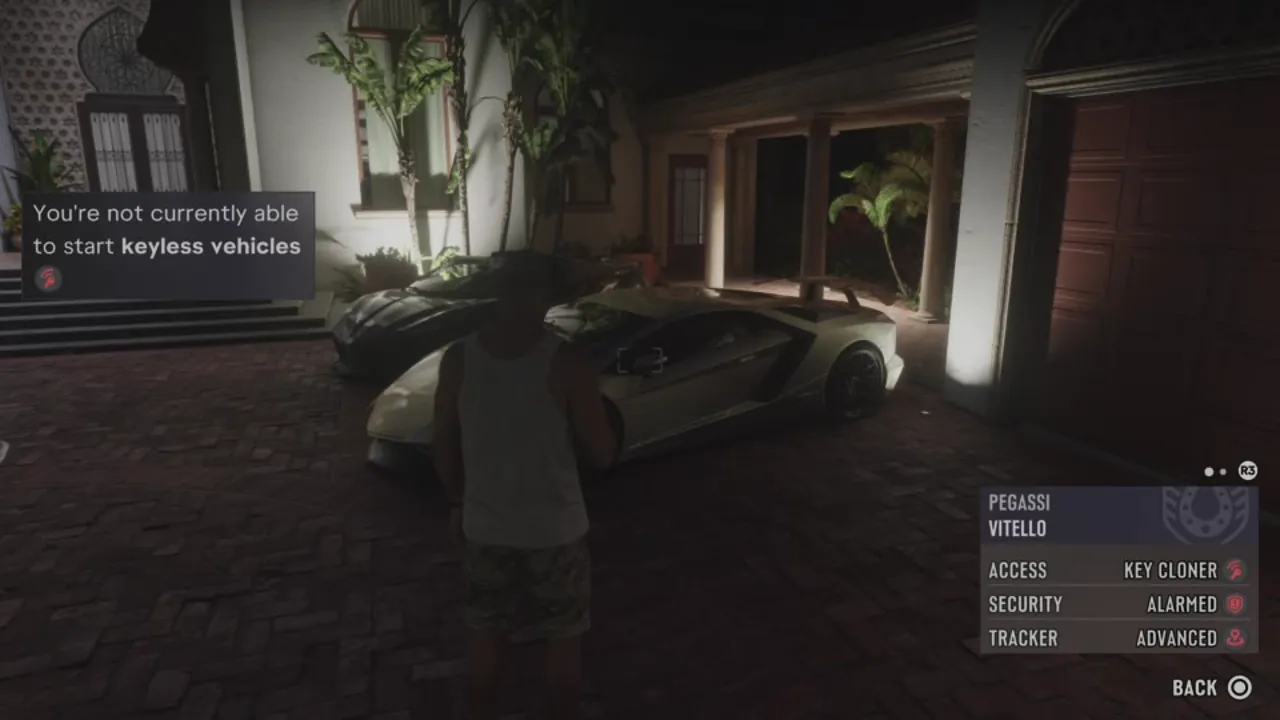
The same three flags — Key Cloner, Alarmed, Advanced tracker — also came up on an Invetero Coquette D10 and a Buckingham Windsor Drop in that driveway. We are not treating that as a rule for every car in the game; it is what those three scans showed.
Fitness and a workout at the house
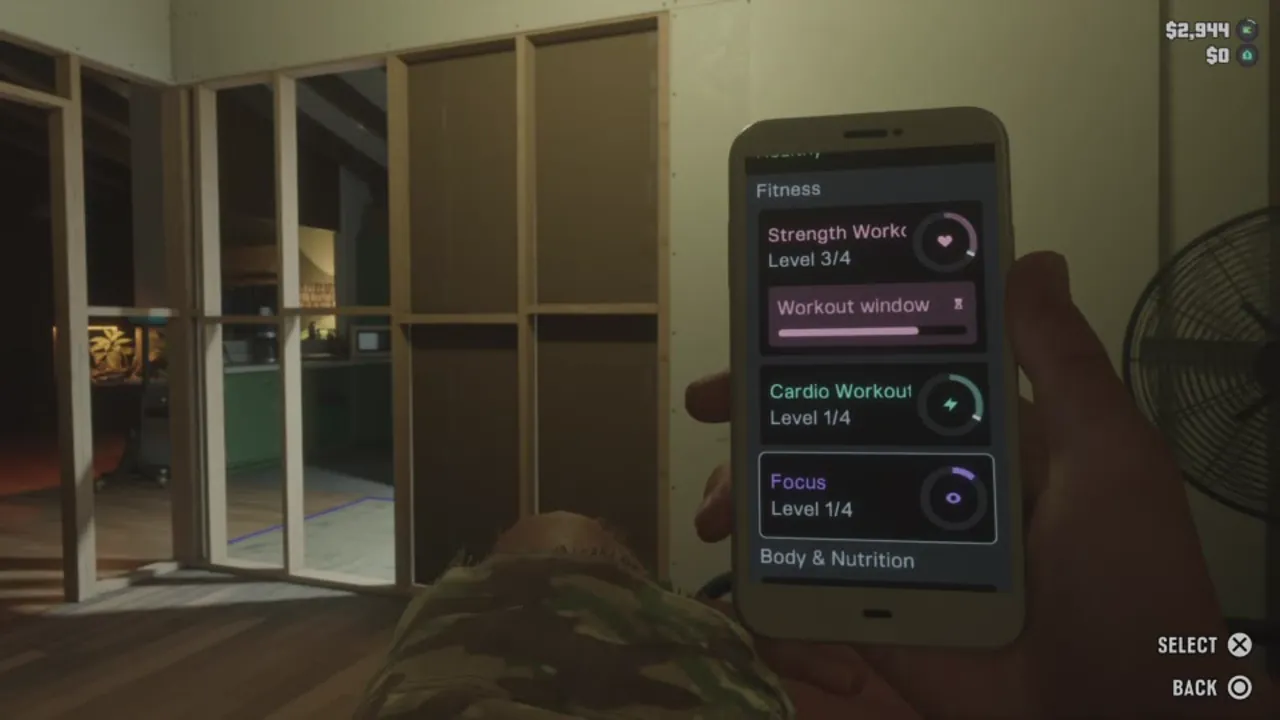
The next morning we opened the Fitness app at the house. It showed:
- Strength Workout — Level 3/4, with a “workout window”
- Cardio Workout — Level 1/4
- Focus — Level 1/4
- A Body & Nutrition section underneath
Cash on the HUD at that point was $2,944, bank $0, after a stash withdrawal.
We then used the home gym on the waterfront deck: a green mat, kettlebell, squat rack, treadmill and step. The HUD showed REPS 8/14 and “+1 rep,” with Lower / Put Down prompts. So the app is tied to real activity, at least at the house. We have not mapped every exercise, or what happens when a level fills up, and we are not inventing stat bonuses.
A first-session tip at the house, while looking after a pet snake, said that some items and actions temporarily extend health, stamina or focus, and that thoughtful actions raise the focus bar depending on your criminal profile. That is a systems hint, not a full profile guide; we have not seen a complete breakdown of those meters in a menu we can quote.
Weather
We also opened the Weather app. It showed a forecast for Mariana County, with hourly conditions, a two-day forecast, and a sunset time. We are not republishing the exact hourly figures from that one morning as if they were a permanent climate table; in-game weather changes.
Contacts and calls
The useful Contacts example we have is Joey at Coastal Auto Care on Key Lento. After our first visit, a tip said we could call Joey from Contacts if the Ganado needed repairing or delivering. We have not recorded every contact who appears after a story beat, and we will not list those names here.
Incoming calls and texts also happen while you drive. In one later session a call came in over a sunset drive; we cut that for story, and it is a reminder that the phone is not only a menu you open on purpose.
What we have not opened properly yet
- Gallery and a full Camera / Photo Studio walkthrough (Photo Studio is also on the pause menu).
- Snapmatic, beyond knowing it is there.
- The News app and the social feed, beyond noting that they exist. We will not turn either into a story recap.
- A complete ringtone and wallpaper catalogue.
- Whether WAiNK can scan more than vehicles and the points of interest the tip mentioned — for example, interiors or people. We have not tested that.
For the first hour around these menus, see our beginner tips and controls. Cash, the stash and early spending are in the money guide.
Frequently asked questions
What phone does Jason use in GTA 6?
An iFruit. The Settings screen showed the profile as Jason / iFruit.
What does the WAiNK app do?
A tip said to use WAiNK to scan vehicles and points of interest for more information. We scanned parked cars and saw Access (Key Cloner), Security (Alarmed) and Tracker (Advanced) on several of them, plus a tip that we were not currently able to start keyless vehicles.
Can you change the wallpaper?
Yes. Phone Settings has Wallpaper and Ringtone. Wallpapers we saw included Livid Circles, Rose Bokeh and Green Bokeh. We picked Green Bokeh. A later session had a ringtone called Beam Me Up selected.
Does the Fitness app do anything?
Yes. It showed Strength, Cardio and Focus levels, plus a Body & Nutrition section. In our session Strength was 3/4, Cardio 1/4 and Focus 1/4, and it mentioned a workout window. We also did a short home workout on the deck, with a rep counter on the HUD.
Email alerts
Get told the moment it's official
No spam and no daily digest. Just one email when something on your list is confirmed.